
Search and keyboard shortcuts
Press Cmd+K or Ctrl+K on any page to find a contact, deal or ticket, open any page or create a record, and press ? to see every keyboard shortcut.
On this page
Two keys get you anywhere in QuiQSol: Cmd+K (Ctrl+K on Windows) to search and jump, and ? to see every shortcut.
1. Open search with Cmd+K
Press Cmd+K on a Mac or Ctrl+K on Windows, on any page. You can also click Search or jump to at the top of the screen.
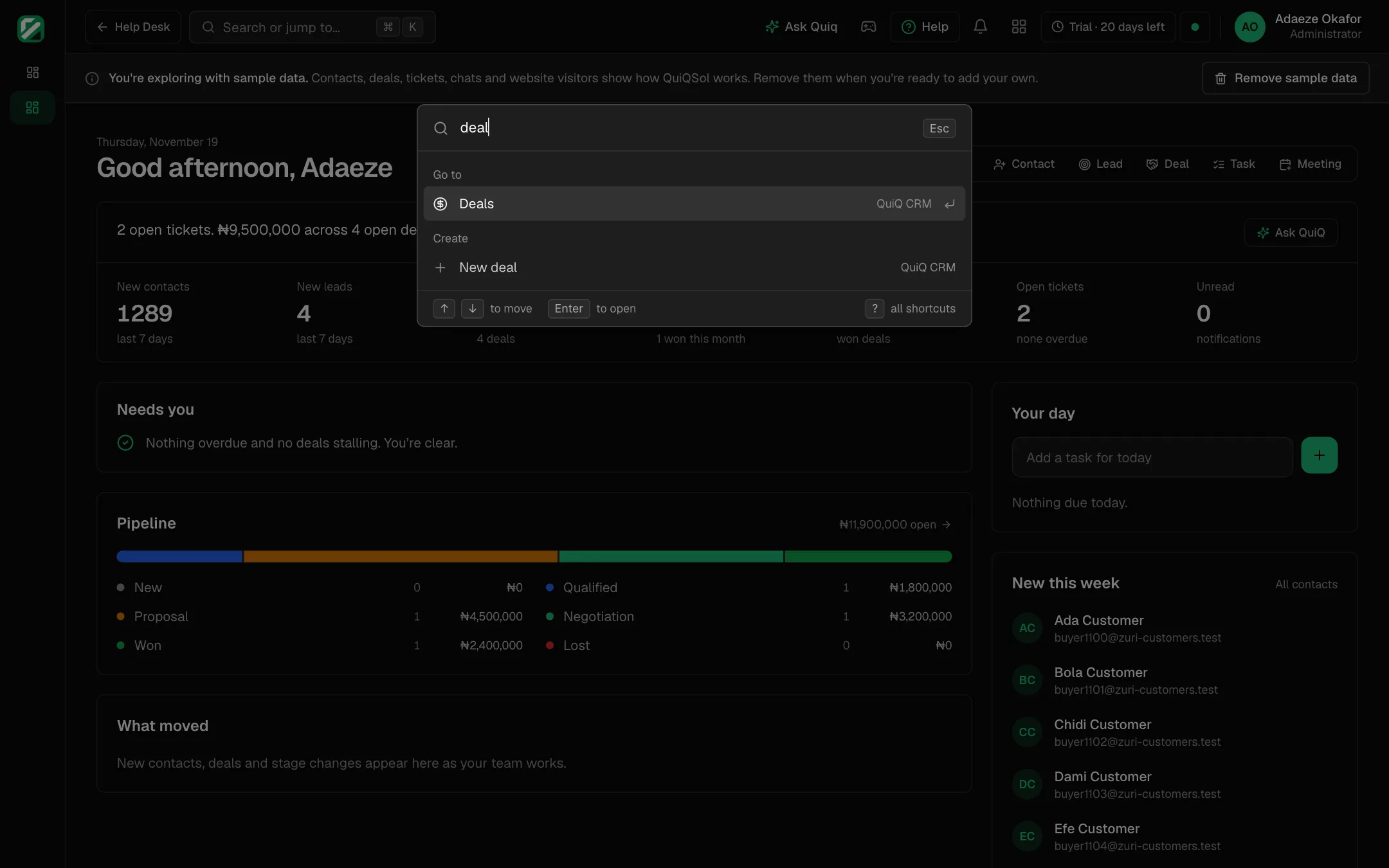 Search with Cmd+K
2. Type what you want
Results come in groups as you type:
- Records: contacts, leads, deals, accounts and tickets, by name or ticket number.
- Go to: every app and every page your role can open, such as Deals, Broadcasts or Invoices, plus Settings, Plan and billing and Notifications.
- Create: start a new record straight away, such as New deal.
- Help: the Help Centre and the shortcut list.
With nothing typed, it shows your recent picks, quick create actions and your apps.
3. Open it
Move with the arrow keys and press Enter, or click a result. Press Esc to close without choosing.
4. See every shortcut with ?
Press ? on any page, outside a text box, to open the shortcut list. The keys for the screen you are on come first.
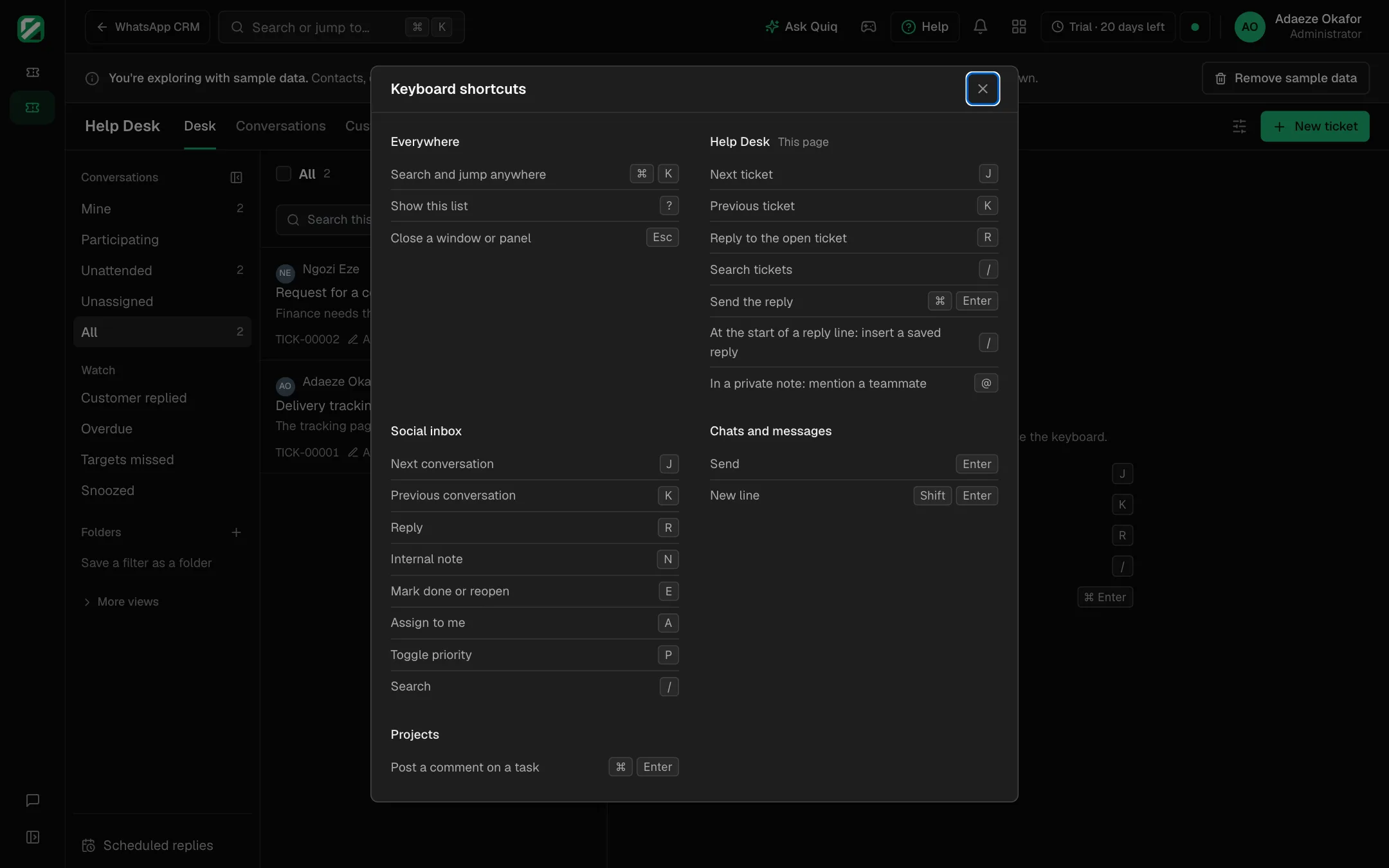 The keyboard shortcuts list
Which shortcuts work everywhere?
- Cmd+K or Ctrl+K: search and jump anywhere.
- ?: show the shortcut list.
- Esc: close a window or panel.
Which shortcuts work in Help Desk?
- J and K: next and previous ticket.
- R: reply to the open ticket.
- /: search tickets. At the start of a reply line, / inserts a saved reply.
- Cmd+Enter or Ctrl+Enter: send the reply.
- @ in a private note: mention a teammate.
Which shortcuts work in the Social inbox?
- J and K: next and previous conversation.
- R: reply. N: internal note.
- E: mark done or reopen. A: assign to me. P: toggle priority.
- /: search.
How do I send or add a new line in chats?
In WhatsApp CRM, the shared inbox and QuiQ Space, Enter sends and Shift+Enter starts a new line. In Projects, Cmd+Enter or Ctrl+Enter posts a comment on a task.